
For copier dealers and IT companies
Every install, start to finish, without the busywork.
installpro.app is a set of simple apps for the companies that look after other businesses' printers, from copier dealers to IT companies: plan each installation with your customer, move their address book to the new machine, put printers on every PC without walking desk to desk, and keep an eye on every copier's toner and pages.
Free for now Built together with providers who want a better way to work.
Sound familiar?
The jobs that eat a tech's day
Desk to desk
Installing the right driver on every PC, one at a time, then coming back when a new laptop shows up.
Retyping address books
Copying hundreds of emails, fax numbers and scan folders from the old copier to the new one, by hand.
Chasing details
Emails back and forth for IP addresses, user lists and scan settings, while the install date gets closer.
One sign-in, every app
Pick the apps you need
Each app does one job well, and they share your customers, your team and your logins.
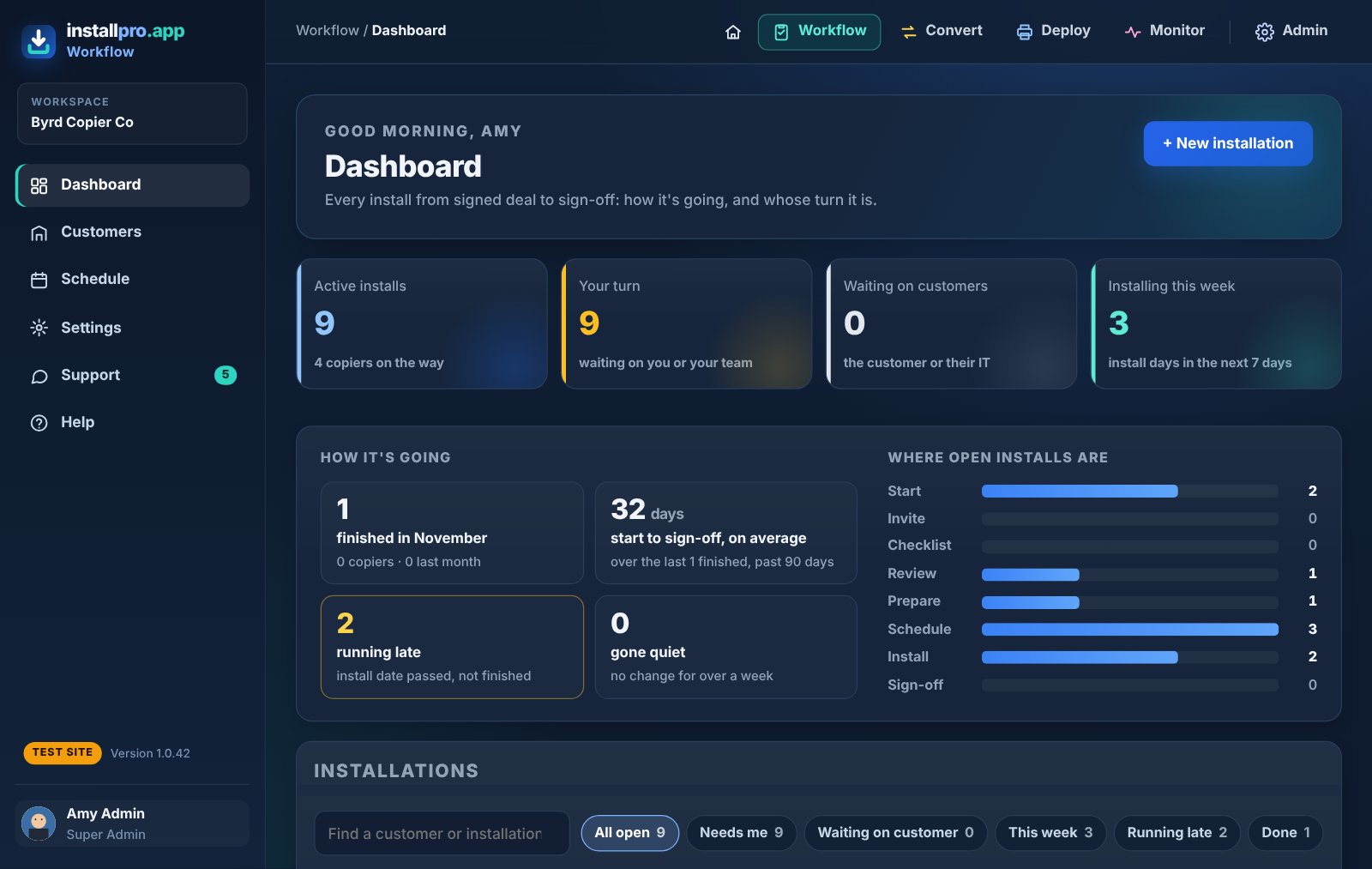
Track every installation from signed deal to sign-off
- See every install, whose turn it is, what's running late and what's due this week
- A secure link where the customer and their IT fill in the checklist: contacts, user lists, scan folders, passwords
- A schedule calendar, automatic reminders, and a prep sheet for the tech
- An internal build sheet for each install: accessories, toners, apps and licenses with serial numbers and activation keys, ticked off as each copier is built
- A printed tag for each copier; the tech scans it on site and taps Installed
- The customer clicks Confirm when it's done
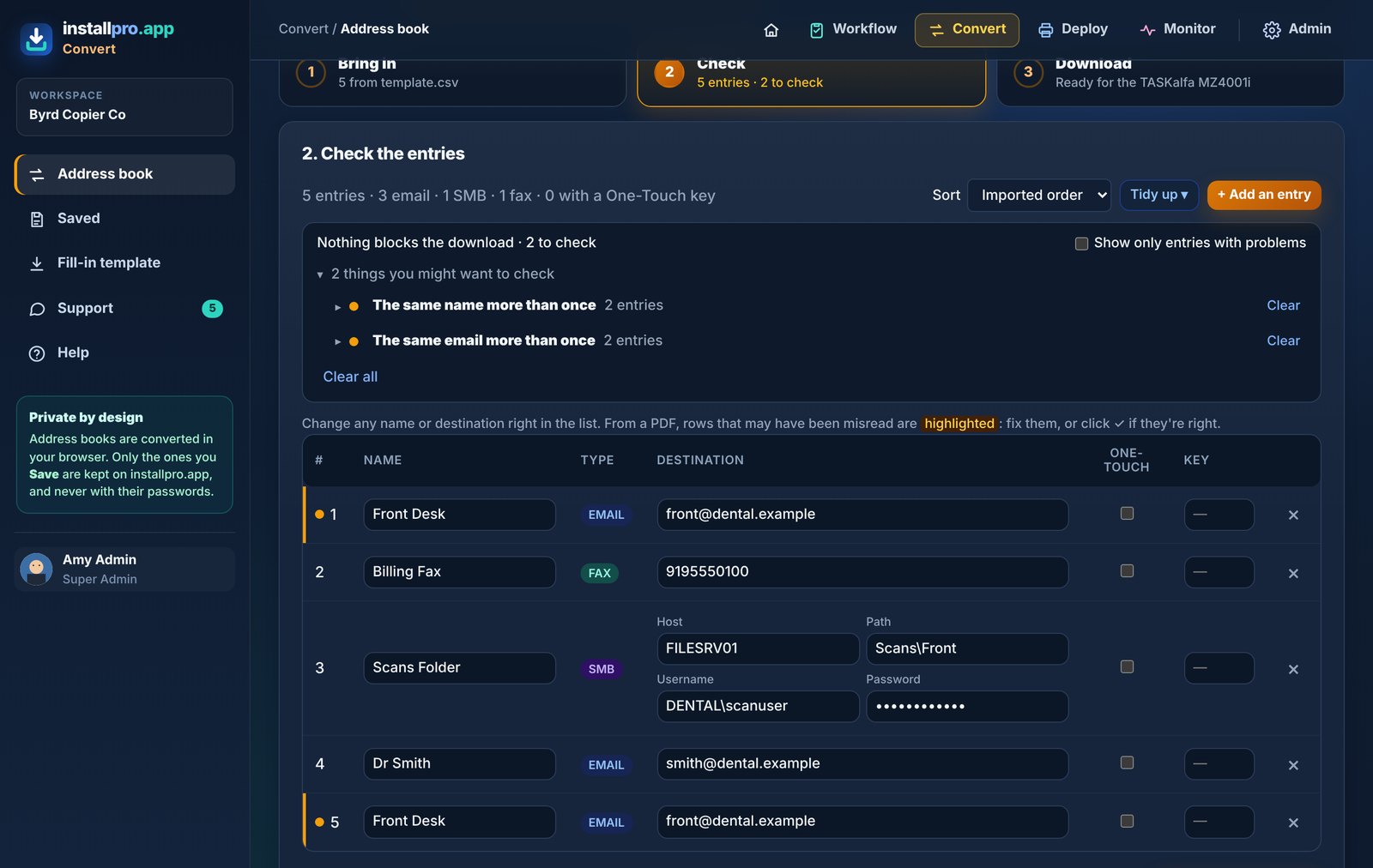
Move an address book to the new copier in minutes
- Drop in what you have: a Canon export or even a printed list (PDF), Kyocera, Epson, Brother or Toshiba files, or a spreadsheet
- Fix problems in one list, remove duplicates, set One-Touch keys
- Download files ready to import on Kyocera (via USB) Epson (via Epson Device Admin) or Brother (via its web page). More copiers on the way
- Converted in your browser; saved copies never keep passwords
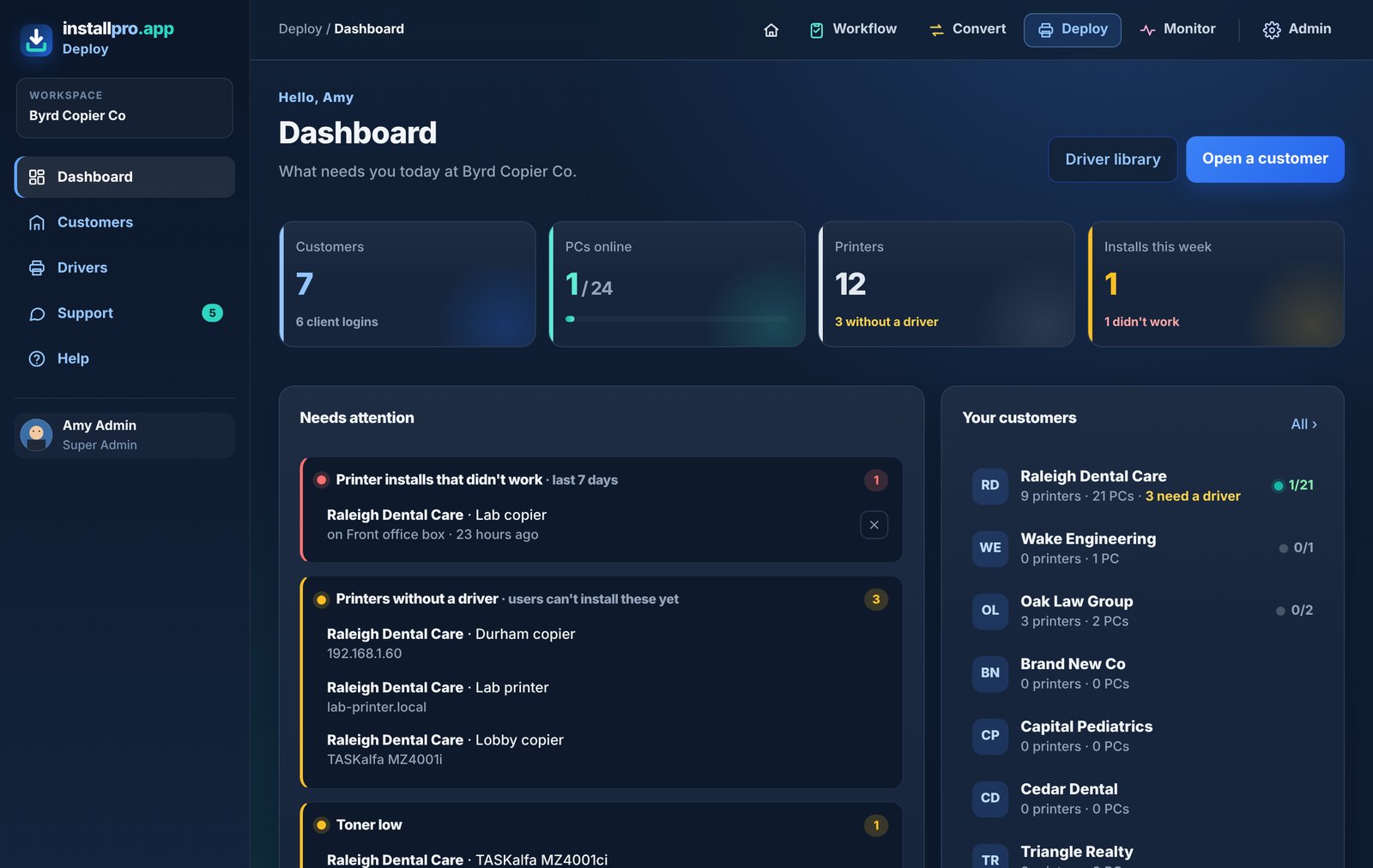
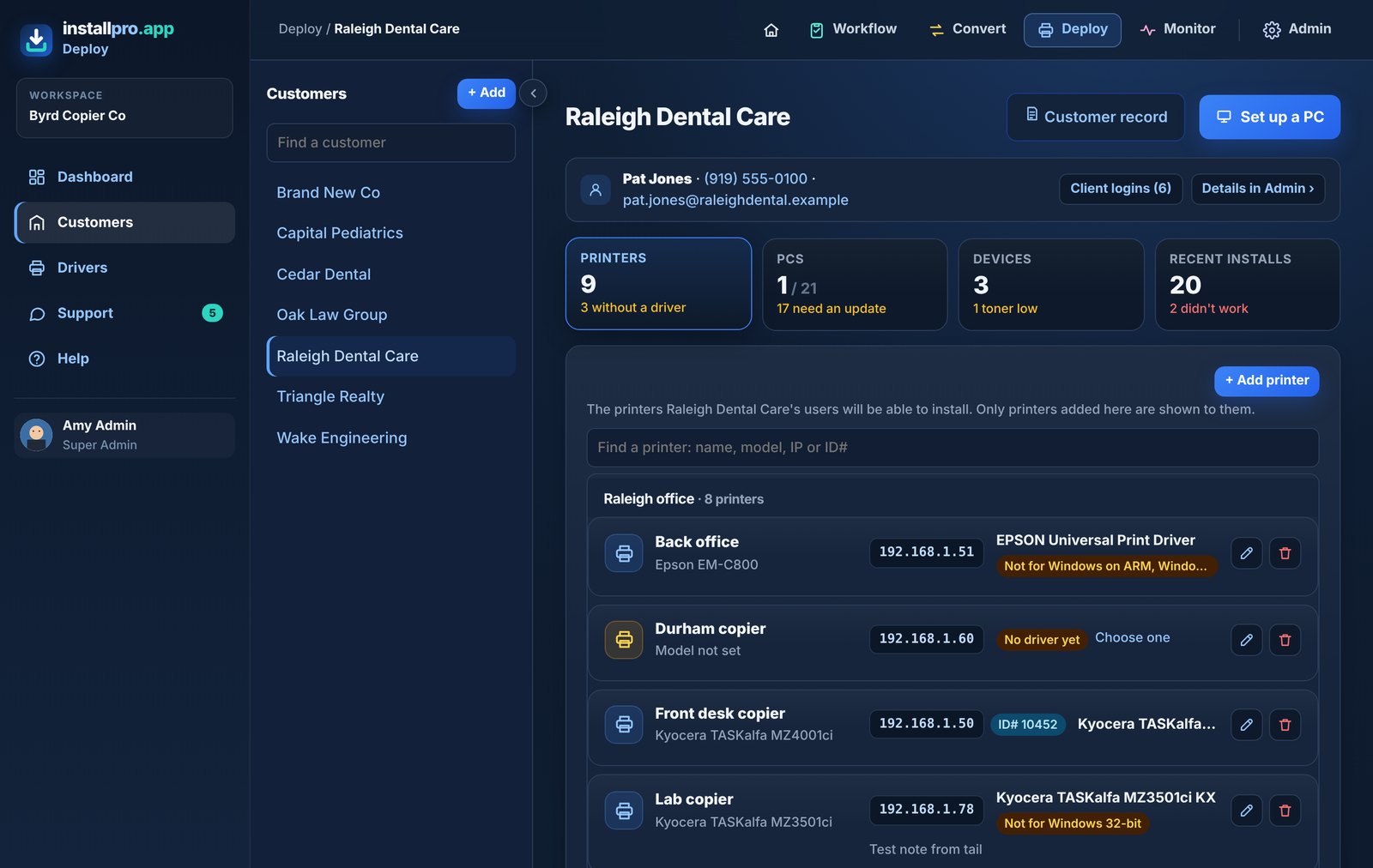
Printers on every PC, without the site visit
- Add a customer's printers once, with the right driver
- A small helper on each PC lets staff install them in one click, or you install them for them
- Set any driver option from the driver's own window (like Kyocera color), saved for every PC
- See which PCs are online, which printers didn't install, and why
- An MSI for their IT, and PCs that keep themselves up to date overnight
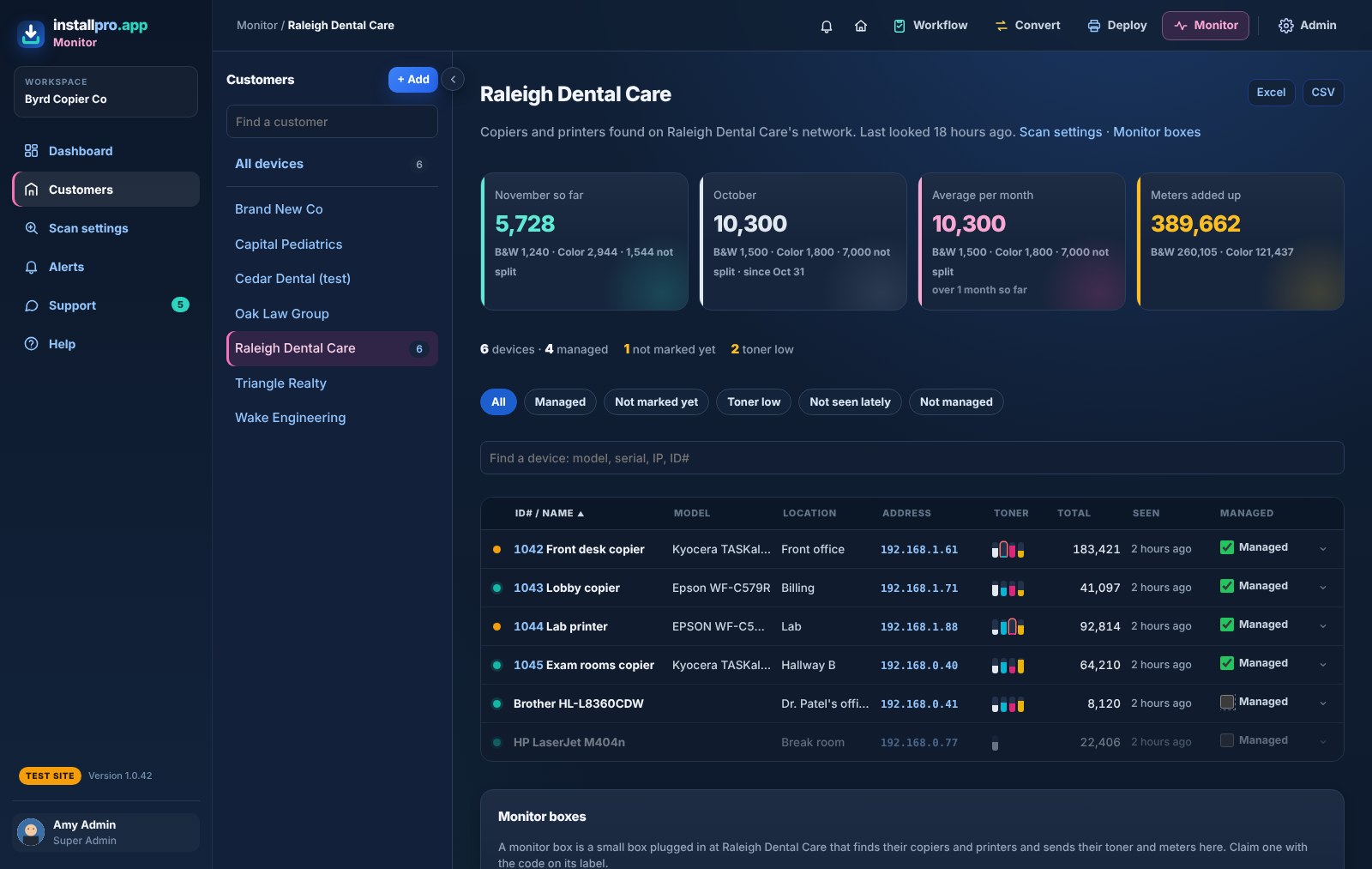
Every copier at every customer, at a glance
- Found by the helper already on their PCs, or by a small monitor box where no PC stays on
- Built-in backup: if the monitor box is ever unplugged, a PC with the helper takes over the watching automatically, and you get an alert to fix the box
- One thin row per copier, sorted however you like: click it for the serial, toner with item numbers to order, and meters
- When each toner was last replaced, and about when it will run out, so it ships before the customer calls
- Pages this month and last month, for each copier, each customer and your whole fleet
- Your own ID numbers and locations, a Managed tick for your machines, and Excel or CSV downloads
- Alerts when a monitor box, an important PC or a copier you look after goes quiet, with a morning summary email
- Add a found copier as a printer in Deploy in one click
Deploy, step by step
Set it up once, then it looks after itself
Add the customer and their printers
Name, address and driver for each copier. The shared driver library has the common ones ready.
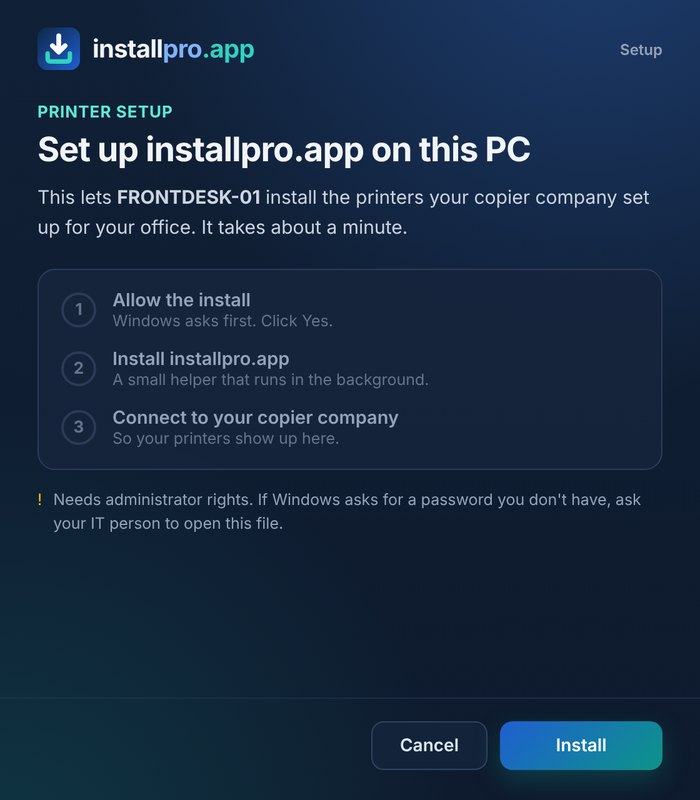
Set up each PC once
Open the setup file, click Install, then Yes. The PC joins the right customer by itself. Their IT can do it too.
Printers install themselves
Staff pick their printers from the icon by the clock, or you push them from your desk.
What your customers see
A clean printers page with your company's name, phone and email on it, so they know who to call. Nothing else to learn.
See the page for your customers ›
Send it (or its PDF) to an office before you set them up.
Private by design
Easy for your customers' IT to say yes to
Only connects out
The PC helper talks to installpro.app over HTTPS. It opens nothing on the customer's network.
Does one job
It installs the printers you set up and reads copiers' toner and page counts. No files, no browsing, no keystrokes, no print jobs.
Clear answers
A plain-English Security & IT whitepaper and privacy policy to hand to any IT person.
Free for now. Built together.
Made by people who do the work
Built by a copier tech with 19 years in the field. installpro.app is a collaboration between like-minded people in the copier and IT business who want tools that make day-to-day work easier. It's free while we build it together: you tell us what would save your team time, and we build it.