
For offices
Your printers, ready in one click.
The company that looks after your printers (your provider) uses installpro.app to set up the printers and copiers on your office's PCs. Set up each PC once, then anyone can add the printers they need, without a service call.
Questions? Ask your provider. Their phone and email are on your printers page.
How it works
Three steps, and only the first one takes any setup
Set up each PC once
Download the setup on the PC, click Install, then Yes when Windows asks. It needs administrator rights, so your IT person may do this step.
Pick your printers
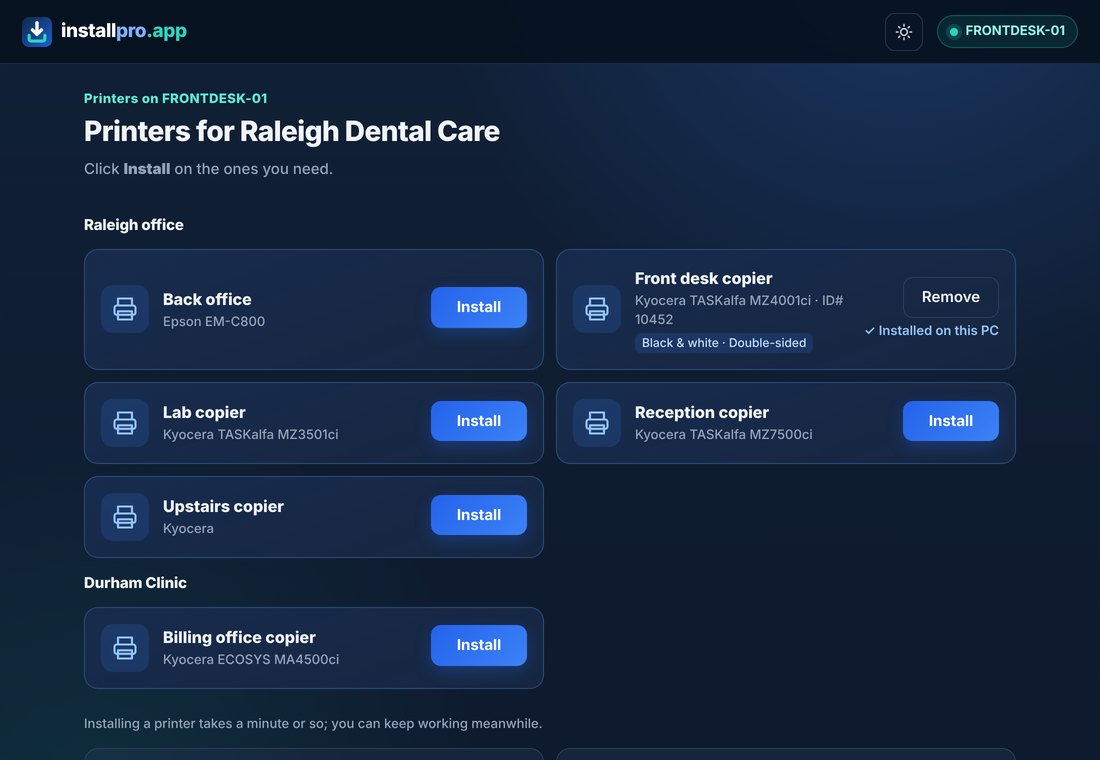
Click the installpro.app icon by the clock and choose Printers. Only the printers your provider set up for your office are listed.
Click Install
The right driver and settings go on in about a minute. You can keep working meanwhile.
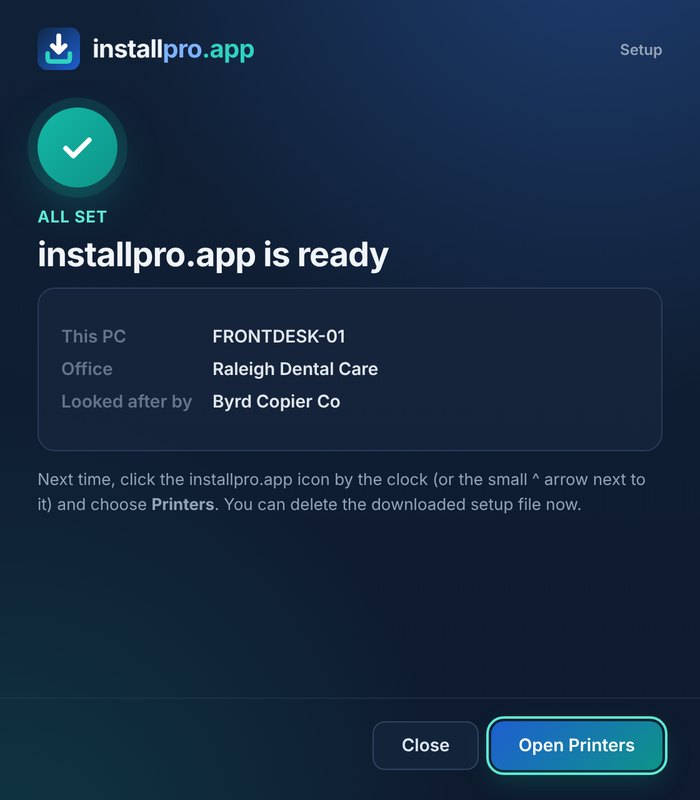
Setup takes about a minute
When it's done, the window shows which office the PC belongs to and who looks after it. New PC next month? Same setup file, same minute.
Your printers page
Everything in one place, with help one click away
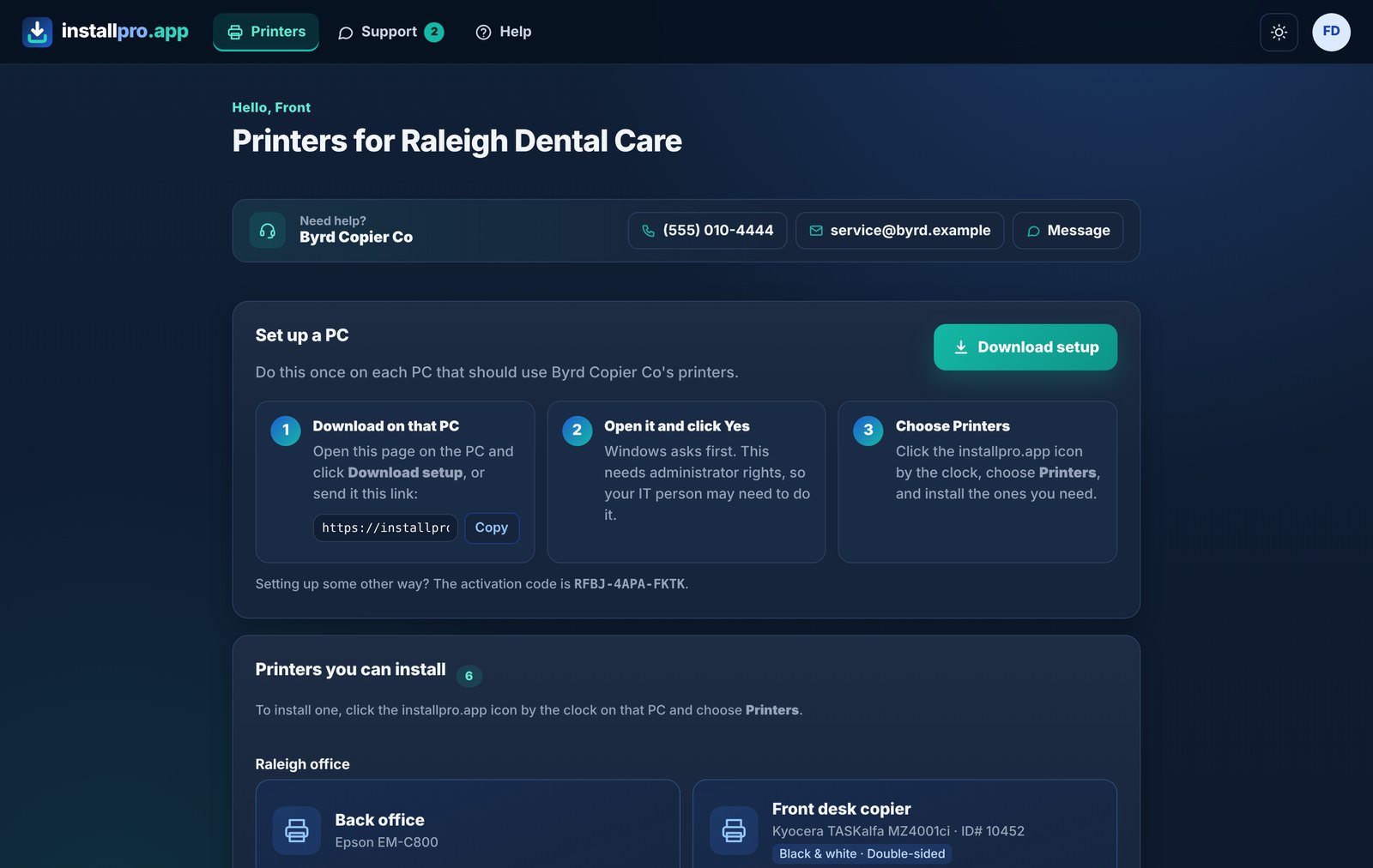
- Your office's printers, ready to install on any PC
- Download the setup for another PC
- Your provider's phone and email, and a Message button
Sign in at installpro.app/printers with the account your provider gave you.
For your IT person
Small, quiet and easy to check
Only connects out
A small Windows service checks in with installpro.app over HTTPS. It opens no port and accepts no incoming connections.
Does one job
It installs and removes the printers set up for your office, and reads copiers' toner and page counts. It doesn't read files, browsing or keystrokes.
All in writing
The Security & IT whitepaper has the details, and the privacy policy says what's kept.
Good to know
Common questions
Does it slow the PC down?
No. It's a small background helper that wakes up about once a minute to check for anything new.
What if a printer isn't listed?
Only printers your provider has added show up. Ask them to add it, and it appears by itself.
Can I remove it?
Yes. Your provider can uninstall it remotely, or your IT person can remove it in Windows like any other program.
Who do I call for help?
Your provider, the company that looks after your printers. Their phone, email and a Message button are right on your printers page.
Your copiers, watched
Toner arrives before it runs out
Toner checked every day
Your provider sees each copier's toner and when it's likely to run out, so supplies can be on their way in time.
Page counts read for you
Meter readings are collected automatically, so nobody has to walk to the copier and send them in.
Maybe a small box
If no PC stays on overnight, they may plug in a small monitor box, about the size of a deck of cards. It only looks for your copiers and printers. Please leave it plugged in.
Looked after by your provider
Questions? Ask them.
installpro.app is the tool. Your provider sets up your printers and is there when you need help.
Have an account?
Sign in to see your printers and set up another PC.
Sign ininstallpro.app/printers